What is multi-home lighting control: A Dallas homeowner’s guide
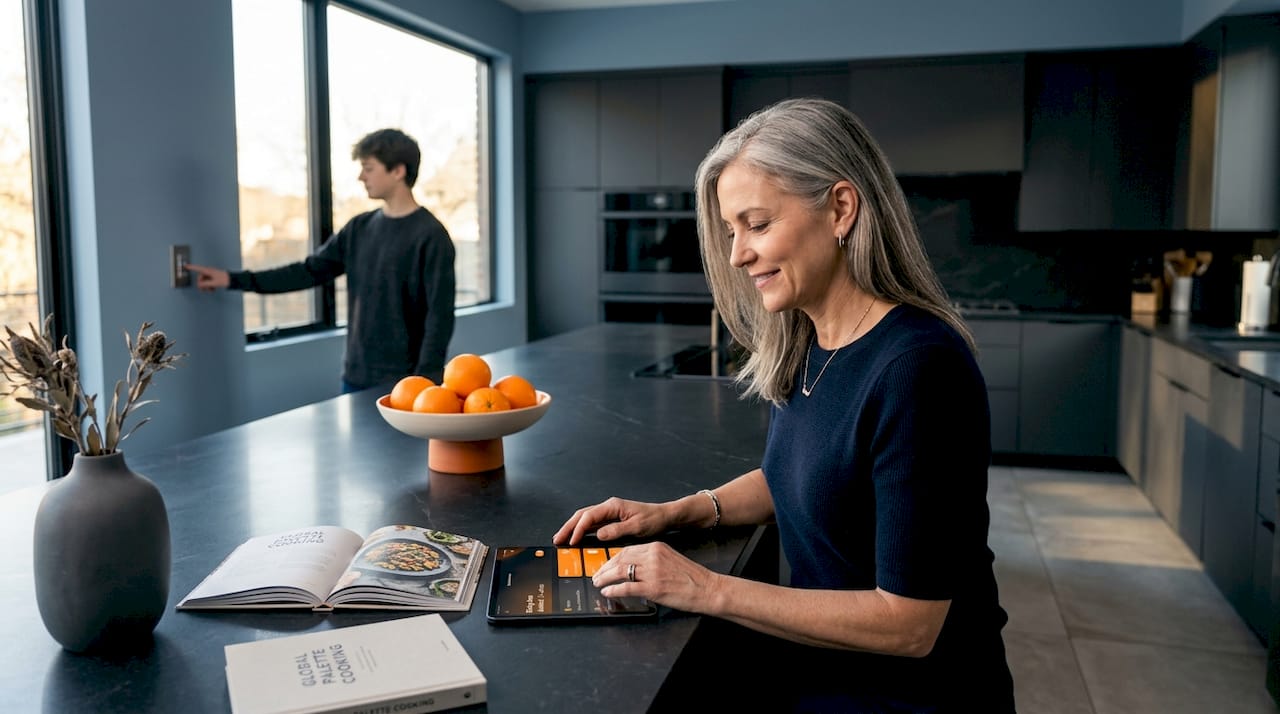
Many Dallas homeowners hear “multi-home lighting control” and picture a tech-heavy, expensive overhaul that only makes sense in a custom-built smart home. That assumption stops a lot of people from ever exploring what is multi-home lighting control and what it could realistically do for their property. The truth is simpler and more affordable than most expect. This guide breaks down how these systems work, what they cost in the Dallas-Fort Worth area, why outdoor ambiance and energy efficiency are two of the biggest payoffs, and exactly how to get started without getting overwhelmed.
Table of Contents
- Understanding multi-home lighting control
- How multi-home lighting control enhances outdoor ambiance and energy efficiency
- Key considerations for Dallas-Fort Worth homeowners
- Choosing the right system: Lutron Caséta and RadioRA 3 explained
- Getting started with multi-home lighting control in Dallas
- Why traditional wiring and local control matter in smart lighting
- Enhance your Dallas home with professional multi-home lighting control installation
- Frequently asked questions
Key Takeaways
| Point | Details |
|---|---|
| Multi-home control defined | It allows centralized control of lighting across multiple rooms and outdoor spaces for convenience and customization. |
| Energy and ambiance benefits | Smart lighting adapts automatically to save energy and create appealing outdoor and indoor environments. |
| Installation considerations | Costs vary around $4,000-$6,000 professionally; older homes may need special wiring solutions. |
| System options | Platforms like Lutron Caséta and RadioRA 3 offer scalable, reliable multi-room lighting control. |
| Local control fallback | Maintaining manual switch control ensures lighting reliability during internet outages or guest use. |
Understanding multi-home lighting control
To understand how multi-home lighting control can improve your home, it helps to first grasp what the system actually includes and how it functions day to day.
At its core, a multi-home lighting system gives you control over lights in multiple rooms or areas from a single platform. That platform might be an app on your phone, a voice assistant, a wall-mounted keypad, or a handheld remote. The system ties together dimmers, switches, and sometimes a central smart hub to coordinate everything. You are not just turning lights on and off. You are setting scenes, scheduling when lights come on at dusk, and adjusting brightness from the couch or across town.
The key hardware components in most setups include:
- Smart dimmers and switches that replace standard wall plates and communicate wirelessly
- A central smart hub that acts as the brain, storing schedules and scenes locally
- Pico remote controls for flexible placement without new wiring
- Smartphone apps and voice assistant integration for remote or hands-free control
- Compatibility with multiple bulb types, including LEDs, halogens, and incandescents
Wireless is a big part of what makes these systems practical. Lutron Caséta systems use Clear Connect wireless technology to provide reliable multi-room coverage supporting many devices along with scheduling. That matters in a typical Dallas home where thick walls and long hallways can interrupt standard Wi-Fi signals.
You can get a broader picture of how residential lighting controls work across different home types before committing to a specific direction.
How multi-home lighting control enhances outdoor ambiance and energy efficiency
With the basics covered, let’s explore how multi-home lighting control directly benefits your home’s outdoor ambiance and energy efficiency.
Outdoor lighting is where many Dallas homeowners feel the most immediate impact. A well-designed multi-zone lighting solution can transform your backyard, front entry, pathway, and landscape lighting into a system you actually control, rather than one that runs on a basic timer and nothing else.
Key outdoor benefits include:
- Pathway and landscape lighting can be scheduled or triggered by motion sensors to reduce waste while improving safety
- Smooth, zero-flicker dimming creates pleasant outdoor atmospheres without the visual noise of cheaper switches
- Motion sensor integration automates lights so they activate only when needed, cutting energy use on long Texas nights
- Local control fallback keeps outdoor lights functioning even during internet outages, which is critical for security
- Single app or remote control for both indoor and outdoor zones simplifies your nightly routine
According to Ace Integrated Technologies, smart lighting integrates outdoor architectural lighting with motion sensors for safety and zero-flicker dimming without relying on Wi-Fi. That last point matters more than it gets credit for. A system that goes dark every time your router has a hiccup is not a smart upgrade.
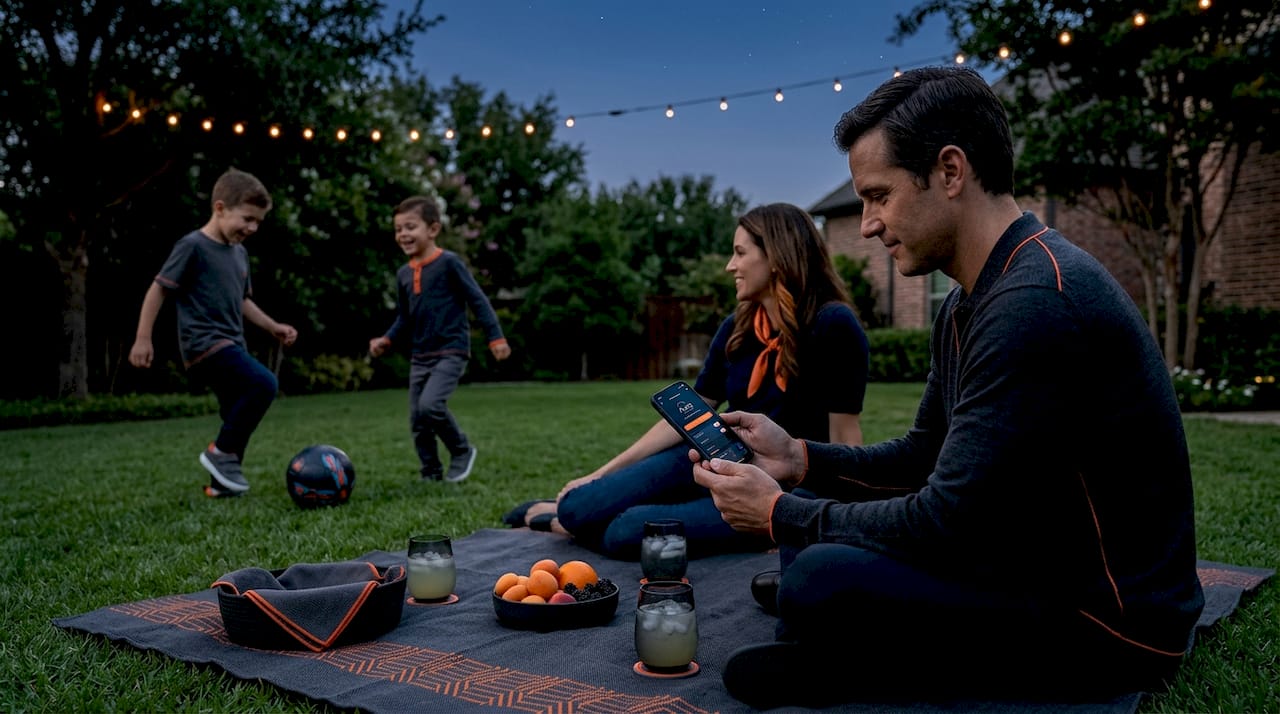
For Dallas homeowners specifically, the outdoor use case is year-round. Texas summers mean late evenings outside. A system that lets you dim patio lights from your phone while seated outside, or automatically shift from bright white to warm amber after 9 PM, genuinely changes how you use your outdoor spaces. Learn more about smart outdoor lighting control options that work well in the DFW climate.
Pro Tip: When selecting your system, prioritize one with a dedicated hub that stores scenes and schedules locally. If your internet goes down, your outdoor lights still follow their programmed routine. Check how lighting controllers for outdoor spaces handle local fallback before you buy.
Key considerations for Dallas-Fort Worth homeowners
Understanding benefits is important, but practical factors like costs and wiring will influence your choices in the Dallas-Fort Worth market.
Here is what to plan for before you purchase anything:
- Budget for professional installation. Professional installation of smart lighting systems typically costs $4,000 to $6,000 for mid-range whole-home setups, with some three-bedroom installs landing near $3,500 installed.
- Check for neutral wires. Many older Dallas homes built before the 1990s lack the neutral wire that standard smart dimmers require. This is not a dealbreaker, but it is something to verify before purchasing.
- Plan for multi-way circuits. Any light controlled by two or more switches (think stairways and hallways) needs companion switches or in-wall relays to preserve manual control.
- Choose scalable hardware. Start with the rooms and outdoor areas you use most, then expand as your budget allows. Systems like Lutron Caséta are designed to grow with you.
- Factor in future outdoor zones. If you plan to add pathway lights or landscape lighting later, confirm your chosen system supports outdoor-rated components.
Older homes may lack neutral wires required for some smart switches, but no-neutral compatible devices or in-wall modules behind existing switches can avoid costly retrofitting. That solution costs far less than pulling new wire through finished walls.
Here is a quick comparison to frame your decision:
| Feature | DIY plug-in kits | Mid-range pro system |
|---|---|---|
| Upfront cost | $150 to $400 | $4,000 to $6,000 |
| Installation | Self-installed | Licensed electrician |
| Reliability | Moderate | High |
| Outdoor coverage | Limited | Full |
| Scheduling and scenes | Basic | Advanced |
| Warranty | Manufacturer only | Contractor-backed |
For more detail on pricing in this area, the outdoor LED lighting control costs guide is a useful starting point. You can also review how home lighting automation ties into energy savings over time.
Pro Tip: Before purchasing any smart dimmer, have an electrician or the installer verify neutral wire presence in each target location. It takes five minutes and prevents a frustrating return trip.
Choosing the right system: Lutron Caséta and RadioRA 3 explained
Now that you know what to consider, let’s explore the two leading platforms you will likely encounter when researching a multi-home lighting control system.
Lutron Caséta is the go-to choice for most mid-sized installations. It uses dedicated Clear Connect wireless technology, which is more stable than standard Bluetooth or Zigbee in larger homes. Caséta supports up to 75 devices with multi-location dimming, scheduling, and remote access through the Lutron app. Because the hub stores everything locally, the system keeps running even without Wi-Fi.
RadioRA 3 is Lutron’s whole-home platform for larger, more design-focused installations. RadioRA 3 unifies multiple lighting brands into a single, seamless experience for scene management and consistent user experience throughout the home. It is the better fit when you want a single system to control lighting across a larger property or when your design requires mixing products from different manufacturers.
| Feature | Lutron Caséta | RadioRA 3 |
|---|---|---|
| Best for | Mid-sized multi-room homes | Larger, design-forward installations |
| Device limit | Up to 75 | Hundreds |
| Hub dependency | Local hub, no Wi-Fi needed | Local processor |
| Multi-brand support | Limited | Broad |
| App and voice control | Yes | Yes |
| Typical price range | Mid-range | Premium |
| DIY friendliness | Higher | Lower |
Caséta wins on simplicity and price for most DFW homeowners. RadioRA 3 wins on flexibility and scale for larger properties or homes where every room needs a polished, consistent experience. The smart lighting platform integrations guide covers how both connect to Alexa, Google, and Control4 if that matters for your setup.
Getting started with multi-home lighting control in Dallas
With an understanding of systems and considerations, here are practical steps to begin implementing multi-home lighting control at your Dallas property.
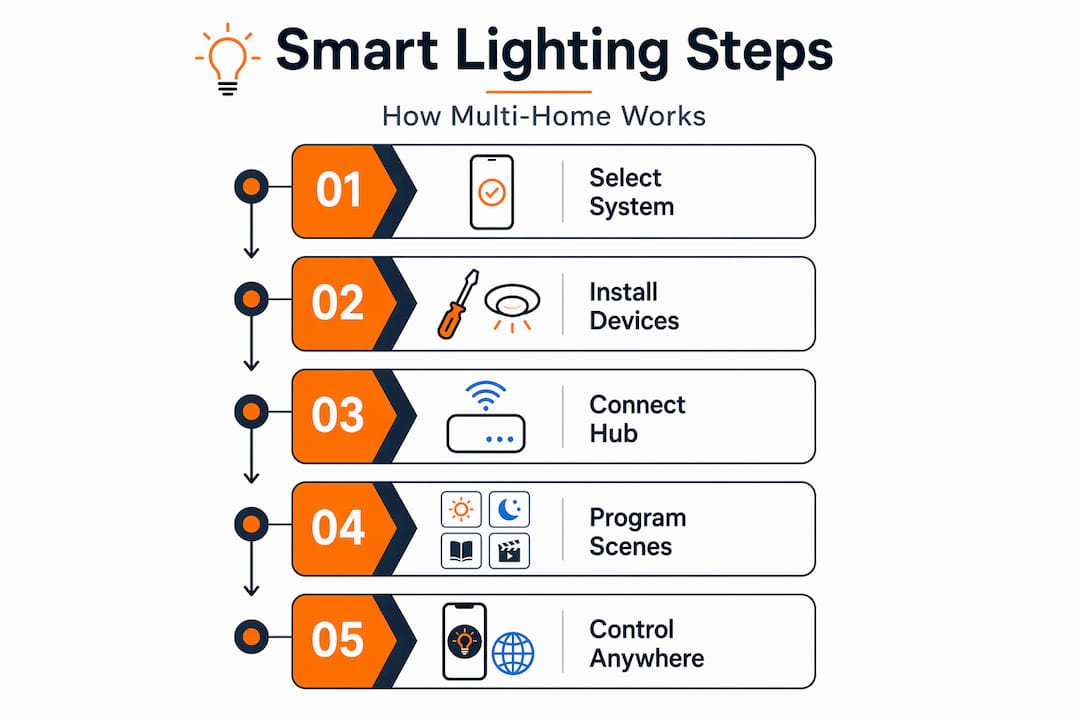
- Map your lighting zones. Walk through your home and list every room, hallway, and outdoor area where you want smart control. Separate indoor zones from outdoor zones. Prioritize.
- Inspect your wiring. Check each target switch for neutral wire presence. If you are not sure, bring in an electrician for a quick assessment before you buy anything.
- Choose your platform. For most Dallas homes, Lutron Caséta handles the job well. If you have a larger property or want whole-home scene control across brands, RadioRA 3 is worth the extra investment.
- Use in-wall relays for multi-way circuits. Experts recommend in-wall relays for multi-way circuits to preserve manual control and prevent issues with smart bulbs in larger homes. These go behind your existing switch without replacing it.
- Set scenes and schedules from day one. Do not just install and forget. Program a “Welcome Home” scene that activates pathway and entry lights at sunset. Schedule outdoor lights to dim at 11 PM. That is where the energy savings start showing up.
- Expand over time. Start with the front entry, living room, and one outdoor zone. Add rooms and outdoor areas as your budget and comfort level grow.
Pro Tip: Add motion sensors to your outdoor pathway lights from the start. They reduce energy use on nights when the patio is empty and add a layer of security that a timer-only setup cannot match. For more on scaling up, the networked lighting control tips guide walks through the expansion process in detail.
Why traditional wiring and local control matter in smart lighting
Before we wrap up, let’s consider an important insight about maintaining simplicity and reliability in your smart lighting setup.
There is a tendency in the smart home industry to frame app control as the goal and wall switches as an afterthought. We disagree with that framing entirely, and here is why.
Every person who visits your home, every houseguest, every family member unfamiliar with your app needs to be able to turn a light on without pulling out a phone. That means wall switches and Pico remotes are not optional accessories. They are the backbone of a system people will actually use without frustration.
Internet outages happen. Routers restart. Apps time out. If your entire lighting system is app-dependent, any one of those events leaves you fumbling in the dark. Systems that store scenes and schedules locally and support manual wall controls do not have this problem. Local wall-switch fallback is essential because guests and outages disable app-only controls, and hybrid setups with Pico remotes ensure reliable multi-room scene activation.
Older Dallas homes add another layer to this. Wiring from the 1970s and 1980s was not designed for smart devices. Trying to force a purely wireless, no-switch setup into a 40-year-old home often creates more problems than it solves. In-wall relays and no-neutral dimmers exist precisely because the real world does not always cooperate with elegant tech solutions.
Our honest recommendation: treat the app as a bonus layer of control, not the primary one. A good app-controlled lighting setup adds convenience on top of a reliable physical foundation. It does not replace that foundation. Homes that get this balance right are the ones where the smart lighting system stays in service for a decade, not six months.
Enhance your Dallas home with professional multi-home lighting control installation
Ready to experience reliable, beautiful multi-home lighting control? Here is how DFW LED Pro can help you make it happen in your Dallas-area home.
At DFW LED Pro, we specialize in permanent LED lighting installation for residential and commercial properties across the Dallas-Fort Worth metroplex, serving 35+ cities. Our installations are designed from the start for smart control compatibility, energy efficiency, and long-term reliability. We handle wiring assessment, system design, controller integration, and outdoor zone setup so you get a finished product that works the first time. Whether you are in Lancaster or Midlothian, our local team understands Dallas-area building codes, climate conditions, and HOA requirements. Contact us today to schedule a consultation and find out what a professionally installed lighting control system can do for your property.
Frequently asked questions
What is multi-home lighting control?
Multi-home lighting control lets you manage lights across multiple rooms and outdoor areas from one system using switches, remotes, or apps for convenience and efficiency. Lutron Caséta systems provide multi-room control with scheduling and remote access built in.
Can I install multi-home lighting control in an older home without rewiring?
Yes, by using no-neutral wire compatible switches or in-wall modules behind existing switches, you can add smart lighting control without rewiring. No-neutral compatible dimmers and in-wall modules are designed specifically to retrofit older homes without costly work.
How much does professional multi-home lighting control installation cost in Dallas?
Typical costs range between $4,000 and $6,000 for professionally installed mid-range smart lighting systems covering multiple rooms. Professional installation for multi-room smart lighting lands in that range across the U.S. as of 2025.
Will my smart lights still work during a Wi-Fi outage?
Systems like Lutron Caséta use dedicated wireless protocols that work independently of your Wi-Fi, so lights continue functioning during internet outages. Caséta’s smart hub does not depend on home Wi-Fi, which is exactly the kind of reliability a Dallas home needs.
What are the benefits of integrating outdoor lighting with indoor smart systems?
Integrated outdoor lighting improves safety, ambiance, and energy efficiency through automated schedules, motion sensors, and centralized control for both areas. Integrating outdoor architectural lighting with motion sensors enhances both safety and efficiency in a single, manageable system.