What Is a Lighting Sequence? A Homeowner’s Guide

A lighting sequence is a programmed series of lighting states that plays back over time, functioning like a digital script telling each light exactly what to do and when. In the outdoor LED world, this definition covers everything from holiday roofline animations to automated porch lights that respond to sunset. Understanding what a lighting sequence does gives you real control over your home’s curb appeal, mood, and energy use. The industry recognizes two primary categories: musical sequences synchronized to audio and animation sequences that run independently. Tools like Vixen Lights and Light-O-Rama make both types accessible to homeowners without professional programming experience.
What is a lighting sequence and what does it do?
A lighting sequence is defined as a pre-programmed set of rules and patterns that controls how lights turn on, off, fade, or change color across a set period of time. Think of it as a choreography script. Every light in your system has a role, and the sequence tells it exactly when to perform.
The practical result is full control over your home’s visual atmosphere without touching a single switch. You can program your front elevation to shift from warm white in the evening to a slow blue fade at midnight. You can set a festive red-and-green pattern to run automatically from Thanksgiving through New Year’s. The sequence handles all of it on a schedule you define once and forget.
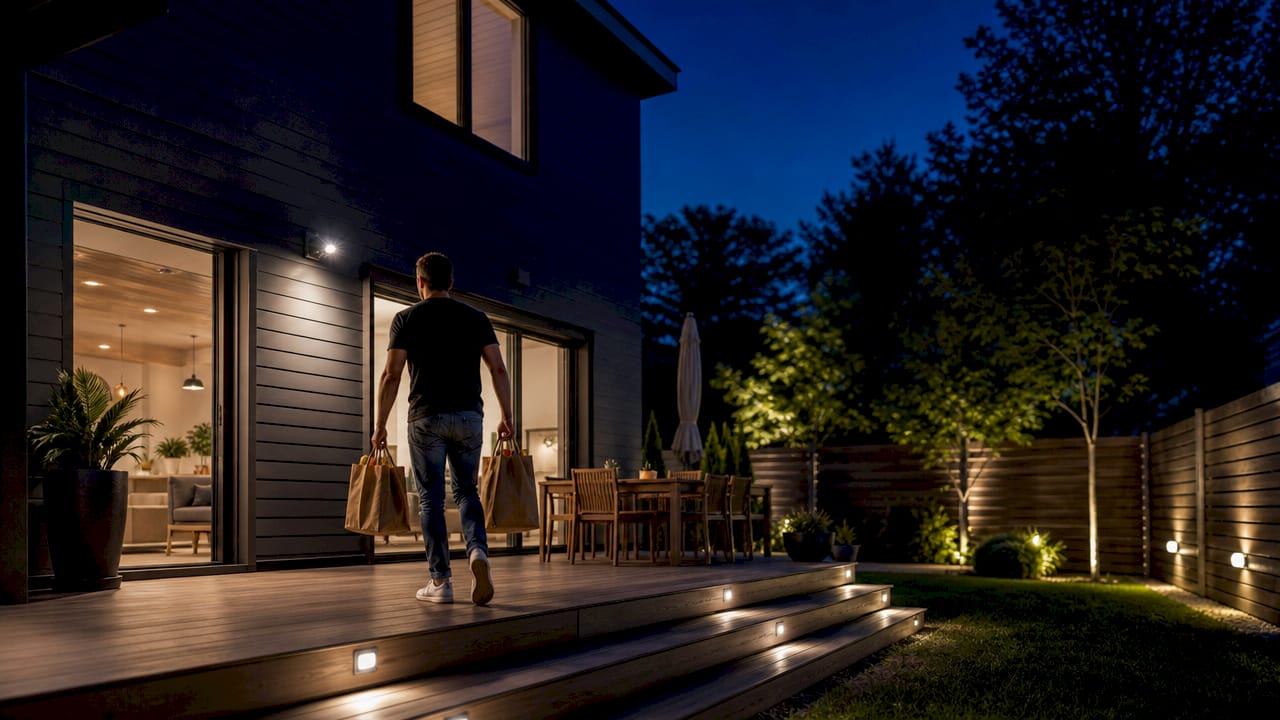
Sequences also serve a functional purpose beyond aesthetics. Automated sequences tied to occupancy sensors or daylight harvesting reduce energy waste by turning lights off when no one is present or when natural light is sufficient. This dual role, creative and operational, is what makes the lighting sequence definition so relevant to both homeowners focused on ambiance and property managers focused on costs.
What are the main types of lighting sequences?
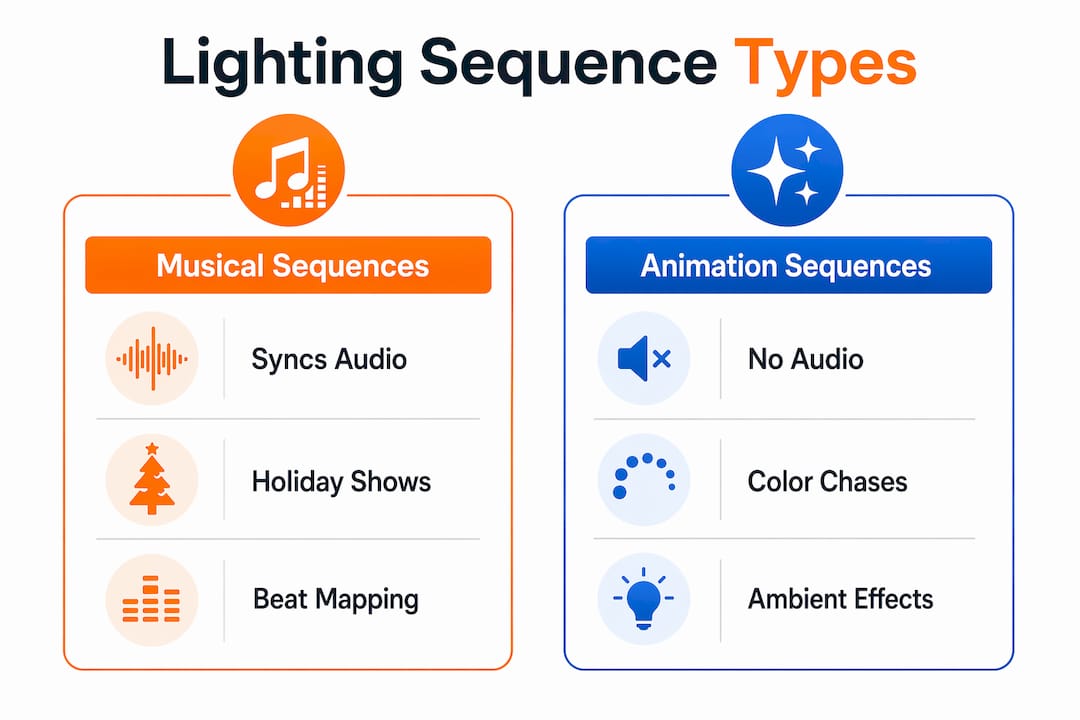
Musical and animation sequences represent the two primary types used in residential and commercial outdoor lighting displays. A third type, the Sequence of Operations, governs automated building control systems and is especially relevant for property managers.
| Sequence Type | Synced to Audio | Typical Use | Runs Simultaneously |
|---|---|---|---|
| Musical Sequence | Yes | Holiday light shows, events | No (audio drives timing) |
| Animation Sequence | No | Ambient patterns, seasonal effects | Yes |
| Sequence of Operations | No | Building automation, energy control | Yes (sensor-driven) |
Musical sequences link directly to an audio file. The software, such as Vixen Lights, maps beats and lyrics to specific light channels. The result is a synchronized display where your roofline pulses with the bass and your columns flash on the snare. This type requires more programming time but delivers the most dramatic visual impact.
Animation sequences create continuous patterns without any audio file attached. Holiday color chases, slow color fades across your eaves, or a warm white “breathing” effect on your entryway all fall into this category. Because they have no audio dependency, animation sequences can run simultaneously with each other, making them easy to layer.
Sequences of Operations are formal control documents used in building lighting systems. They define how a system responds to daylight sensors, occupancy data, and time schedules. Property managers overseeing commercial properties or HOA communities rely on these to set consistent, code-compliant lighting behavior across an entire facility.
How to create a lighting sequence step by step
Creating a custom lighting sequence follows a 5-step workflow: system setup, music import, beat and key marker placement, effect application, and previewing for refinement. Software like Vixen Lights and Light-O-Rama both use this general structure, though their interfaces differ.
-
Set up your system layout. Map every light fixture to a named channel in your software. Group fixtures logically: roofline as one group, columns as another, eaves as a third. Correct grouping before effects prevents hours of manual remapping later. Incorrect grouping is the single most common cause of sequence errors.
-
Import your audio file (for musical sequences). Load your chosen track into the software timeline. Vixen Lights displays the waveform so you can see beats visually before placing any markers.
-
Place beat and key markers. Mark the moments in the track where you want lighting changes to occur. These markers become the anchor points for every effect you apply. Precision here determines how tight the final sync feels.
-
Apply effects to each channel group. Assign colors, fades, chases, or pulses to each fixture group at the marked intervals. In Light-O-Rama, each row is a channel and each column is a time slice. Filled cells turn a light on for that interval, giving you a visual grid of your entire sequence.
-
Preview and refine. Run the sequence in preview mode frequently. The standard frame interval is 20ms or 20 FPS for smooth transitions. Previewing every 30–60 seconds catches timing mismatches before they compound into larger problems.
Pro Tip: Group your fixtures by architectural zone before you open the effects panel. Roofline, columns, eaves, and garage should each be a named group. When you need to update a color or timing later, you change one group instead of editing dozens of individual channels.
Mapping and hardware layout verification matter before you apply any complex effects. Run a simple test pattern first to confirm each fixture responds in the correct physical location. Discovering a wiring mismatch after building a 4-minute musical sequence wastes significant time.
What is the role of a sequence of operations in lighting control?
A Sequence of Operations (SOO) is a formal document specifying a lighting control system’s behavior in response to daylight, occupancy, and scheduling inputs. It functions as a rulebook and, in many commercial projects, as a contract document that defines when the system is considered fully operational.
For property managers, the SOO answers critical questions: When do the parking lot lights dim? What happens when a motion sensor detects activity at 2 a.m.? How does the system respond to a power outage? Without a written SOO, the answers to those questions exist only in the installer’s head.
“A Sequence of Operations ensures clarity among manufacturers, programmers, and occupants. It can serve as a contract document defining when system setup is complete.” — Luminaire-Level Lighting Control Initiative
A well-written SOO typically includes three components:
- Narrative descriptions explaining each operating mode in plain language
- Control logic tables mapping inputs (sensors, schedules, overrides) to outputs (dim levels, on/off states)
- Flowcharts or diagrams showing how the system moves between modes
Property managers who overlook the SOO early in a project consistently face higher operational costs and maintenance confusion over the system’s lifespan. Requesting the SOO before installation, not after, is the single most impactful step a property manager can take on any lighting control project.
Lighting control sequences vary by system and space, involving functions like occupancy sensing, daylight harvesting, manual override, and scheduling. The SOO captures all of those functions in one place so every stakeholder works from the same document.
How do lighting sequences enhance outdoor ambiance and save energy?
Programmed lighting sequences give you precise control over the mood your property projects at any hour. The difference between an inviting home and a flat, forgettable one often comes down to how light transitions are timed.
Fade times and transition speeds directly control ambiance. Short fades create energetic pulses suited for festive displays or events. Longer crossfades produce a smooth, relaxed wash of light that feels calm and welcoming. You can achieve completely different atmospheres with the same fixtures simply by adjusting transition timing in your sequence.
Practical lighting sequence examples for outdoor spaces include:
- A warm white fade cycling across your roofline from 7 p.m. to 11 p.m. for everyday curb appeal
- A red, white, and blue animation sequence set to activate automatically on July 4th
- A slow green-to-blue color shift on your back patio for evening entertaining
- Motion-triggered bright white on your driveway that fades back to ambient after 90 seconds
- A full holiday musical sequence running on weekend evenings from December 1st through December 26th
Energy savings come from the automation side of sequences. Lights that turn off automatically when no occupancy is detected, or that dim during daylight hours, consume significantly less power than manually controlled fixtures. Pairing sequences with occupancy sensors and daylight harvesting is a proven approach to reducing outdoor lighting costs. For a detailed breakdown of those savings, the home lighting automation guide from Dfwledpro covers the numbers in full.
Pro Tip: Build a seasonal sequence library. Create and save separate sequences for major holidays, summer entertaining, and everyday ambiance. Switching between them takes seconds in the app, and you never have to reprogram from scratch.
Remote and app-based control adds another layer of convenience. You can control outdoor LED lights remotely from your phone, adjust a running sequence, or override automation when plans change. For property managers overseeing multiple sites, remote access eliminates the need for on-site visits to make simple timing adjustments.
Key takeaways
A lighting sequence is the foundation of any programmable outdoor lighting system, and getting the sequence right determines both the visual result and the long-term energy performance of your installation.
| Point | Details |
|---|---|
| Core definition | A lighting sequence is a programmed script controlling when and how each light turns on, fades, or changes color. |
| Two primary types | Musical sequences sync to audio; animation sequences run independently and can layer simultaneously. |
| Programming workflow | Follow five steps: system setup, audio import, marker placement, effect application, and frequent previewing. |
| Sequence of Operations | Property managers should request a formal SOO document before installation to prevent costly operational gaps. |
| Ambiance and efficiency | Adjusting fade times and pairing sequences with occupancy sensors controls both mood and energy consumption. |
Why grouping and previewing are the two skills that actually matter
Most homeowners who try programming their first lighting sequence focus on effects. They spend hours picking colors and chases before they have a solid system layout. That is the wrong order of operations.
In my experience working with programmable LED systems across the DFW area, the projects that go smoothly share one thing: the homeowner or installer mapped every fixture to a logical group before touching the effects panel. The projects that turn into headaches almost always skipped that step. Fixing a bad grouping structure after you have built a full sequence means rebuilding from scratch.
The second skill is previewing early and often. Waiting until the end to preview is the most common mistake I see. A timing mismatch that takes 30 seconds to fix at the 2-minute mark takes 30 minutes to untangle at the 4-minute mark. Preview every 30–60 seconds. It feels like it slows you down. It actually speeds up the whole process.
For property managers, my honest advice is simpler: get the Sequence of Operations document in writing before the installer leaves the job site. Not after. Not when something breaks. Before. That document is your operating manual, your maintenance reference, and your accountability tool all in one. The managers who skip it spend years guessing why their system behaves the way it does.
Start with a simple animation sequence. Get comfortable with grouping, timing, and preview. Then build toward musical sequences and layered effects. The creative satisfaction of watching a sequence you designed play out across your home’s roofline is real. It is also repeatable every single night without any effort on your part.
— Adrian
See what programmable LED sequences look like on a real home
If you want to see what a well-designed lighting sequence looks like installed on an actual property, Dfwledpro brings that experience to homeowners and businesses across the Dallas-Fort Worth area. As the official authorized JellyFish Lighting dealer for DFW, we install permanent LED systems built specifically for programmable sequencing, color control, and year-round use.

JellyFish Lighting fixtures are designed to run the kind of sequences covered in this article, from smooth ambient fades to full holiday animations, all controlled from a smartphone app. If you manage a commercial property or restaurant, the JellyFish commercial LED lighting options from Dfwledpro are worth a close look. We serve Arlington, Mansfield, Fort Worth, Midlothian, and 30+ surrounding communities with professional installation and lifetime product support.
FAQ
What is a lighting sequence in simple terms?
A lighting sequence is a pre-programmed set of instructions that tells your lights when to turn on, change color, fade, or turn off. It runs automatically based on a schedule, audio track, or sensor input.
What is the difference between a musical and animation sequence?
A musical sequence links to an audio file and syncs light changes to beats or lyrics. An animation sequence runs independently without audio and can operate at the same time as other sequences.
How do i start creating my own lighting sequence?
Begin by mapping your fixtures into logical groups in software like Vixen Lights or Light-O-Rama, then apply effects and preview your work every 30–60 seconds to catch timing issues early.
What is a sequence of operations for property managers?
A Sequence of Operations is a formal document that defines how a lighting control system responds to occupancy, daylight, and schedules. Property managers should request this document before installation is complete.
Can lighting sequences actually reduce energy costs?
Yes. Sequences paired with occupancy sensors and daylight harvesting automate lights off when spaces are empty, reducing runtime and lowering energy bills without any manual effort. Learn more in the Dfwledpro residential lighting controls guide.