Create the perfect custom lighting schedule for your DFW home
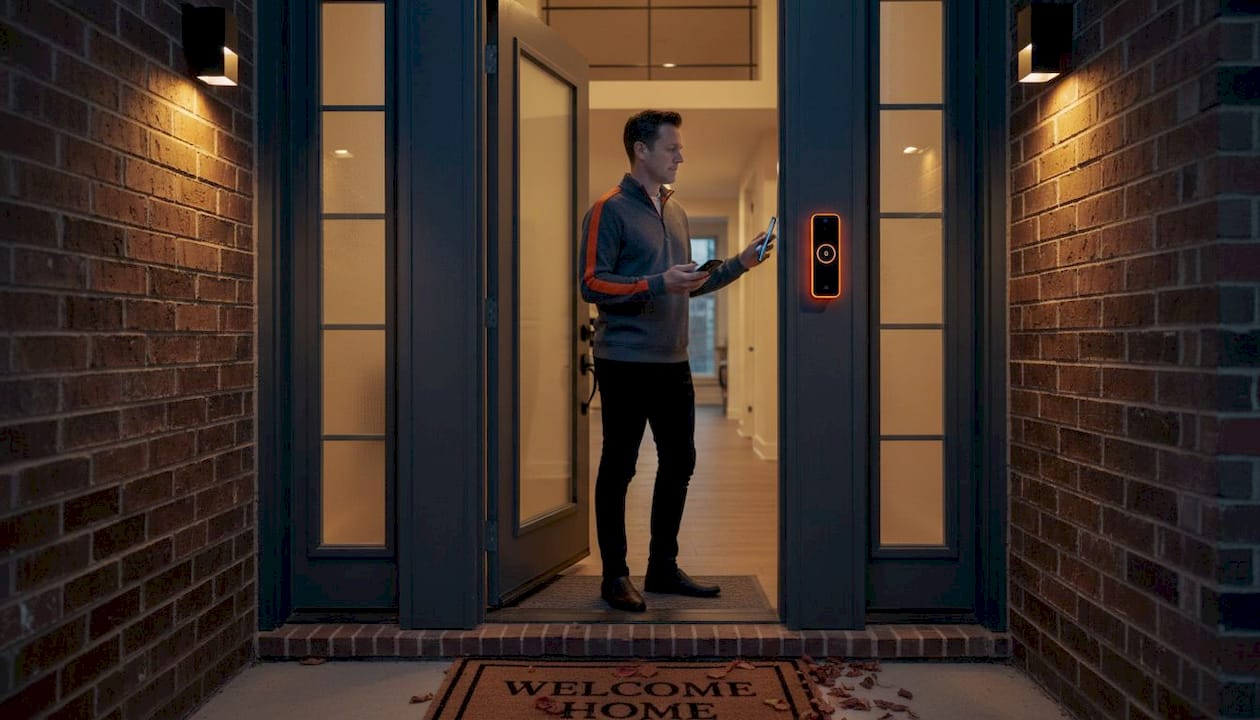
Your outdoor lights are on at 10 PM and still burning bright at 7 AM. Or they flip off at the same time every night, regardless of whether daylight savings just shifted the sunset by an hour. These kinds of rigid, outdated schedules waste real money on your electricity bill and leave your home looking uninviting during the hours that matter most. For homeowners across the Dallas-Fort Worth metroplex, where summers stretch daylight past 8:30 PM and winter nights arrive before 5:30 PM, getting your outdoor LED lighting schedule dialed in is one of the most practical upgrades you can make. This guide walks you through exactly how to do it.
Table of Contents
- Essential tools and requirements for custom lighting schedules
- Choosing the right controls: Timers, astronomical, or smart?
- Step-by-step: Designing and setting your custom schedule
- Troubleshooting, adapting, and maximizing efficiency year-round
- The real-world truth about setting custom lighting schedules in DFW
- Let DFW LED Pro help you design the perfect outdoor lighting schedule
- Frequently asked questions
Key Takeaways
| Point | Details |
|---|---|
| Prioritize astronomical timers | Astronomical timers self-adjust for sunrise and sunset, making them reliable and energy-efficient for DFW homes. |
| Mix smart and motion controls | Combining smart scheduling and motion sensors maximizes both style flexibility and electricity savings. |
| Revisit your schedule each season | Review and adapt your custom lighting schedule at least four times per year to suit changing weather and events. |
| Hybrid approach offers best results | Using both astronomical and smart zone controls covers efficiency, flexibility, and local DFW needs. |
Essential tools and requirements for custom lighting schedules
Now that you know why a custom schedule matters, let’s lay out exactly what you’ll need to get started.
Getting the right hardware in place before you start programming anything saves you from having to redo work later. Custom outdoor lighting schedules for DFW homeowners rely on a combination of timers, astronomical timers, smart apps, motion sensors, and zone-based controls to balance aesthetics and efficiency. Each plays a specific role.
Core controls you’ll need:
- Fixed timers: Simple, affordable, and reliable. They require manual updates four times a year to stay accurate with seasonal changes.
- Astronomical timers: Automatically adjust on/off times based on your local sunrise and sunset data. No WiFi required.
- Smart controllers: App-based systems that allow color scenes, remote access, and zone control from your phone.
- Motion sensors: Trigger lights in low-traffic zones like side yards or back pathways only when needed.
- Zone mapping hardware: Anything that lets you group fixtures so your front elevation, pathway lights, and backyard can run on separate schedules.
Typical materials needed for a standard DFW home:
- Outdoor-rated smart controller or astronomical timer (look for IP44 or better rating for weather resistance)
- Compatible LED fixtures with dimming capability
- Reliable home WiFi router with strong signal to exterior walls if using smart controls
- Weatherproof junction boxes for any new wiring
- A zone map of your property (even a hand-drawn sketch works)
Before you buy anything new, check out our DFW lighting setup checklist to confirm your existing fixtures and wiring are compatible with your chosen control system.
Network and weather-resistance factors specific to DFW:
| Factor | Why it matters in DFW | What to look for |
|---|---|---|
| Summer heat (100°F+) | Controllers can overheat, causing resets | Rated for 122°F operation or higher |
| Thunderstorm surges | Voltage spikes fry smart controllers | Surge-protected outlets or whole-home protection |
| WiFi dead zones | Smart systems lose connection at exterior fixtures | Mesh WiFi or a dedicated outdoor access point |
| Humidity | Corrodes contacts in outdoor-rated devices | IP65 or IP67-rated enclosures |
Pro Tip: Before purchasing any new devices, walk your property at night and sketch out your lighting zones on paper. Mark where security lighting, accent lighting, pathway lighting, and decorative zones each begin and end. This one step prevents over-buying and ensures your schedule design reflects how you actually use your outdoor spaces.
Choosing the right controls: Timers, astronomical, or smart?
With tools in hand, your next big decision is what type of control system matches your goals and property.
Not every control type suits every homeowner. The right choice depends on your priorities, your comfort with technology, and the specific demands of your property.
Fixed timers are the most straightforward option. They cost less upfront, require no network connection, and rarely fail. The downside is that the sun doesn’t care about your timer. In DFW, sunset can shift by nearly three hours between June and December. A fixed timer set in July will be running lights before dark by October if you don’t update it.
Astronomical timers solve that problem automatically. They contain internal databases of sunrise and sunset times for your geographic location, and they reduce runtime by 20 to 40 percent compared to fixed timers because lights never run during unnecessary daylight hours. They work without any internet connection, making them ideal for homeowners who want reliability without tech management.
Smart control systems are where smart outdoor lighting controls really earn their value. You can set different schedules for different zones, trigger color changes for holidays, dim lights after midnight to reduce energy use, and make real-time adjustments from your phone. The trade-off is network dependency. If your WiFi drops during a storm, scheduled changes may not execute.
“Prioritize astronomical timers for simple efficiency in DFW’s variable seasons; upgrade to smart for aesthetics like color scenes. Combine with motion and dimming for maximum savings.”
Comparison: Control types at a glance
| Control type | Best for | DFW seasonal adjustment | Network needed | Cost level |
|---|---|---|---|---|
| Fixed timer | Budget-friendly simplicity | Manual, 4x per year | No | Low |
| Astronomical timer | Reliable efficiency, minimal upkeep | Automatic | No | Medium |
| Smart controller | Aesthetics, zones, remote access | Automatic via app | Yes | Medium-High |
| Motion sensor | Security, low-traffic zones | N/A | No | Low-Medium |
For most DFW homeowners, we recommend comparing lighting controllers and then landing on a hybrid setup. Use an astronomical timer as your baseline for all exterior lights, then layer in a smart controller for front-facing accent zones where color scenes and remote scheduling add the most visual impact.
Key advantages of each, summarized:
- Astronomical timers: No WiFi needed, accurate to your exact DFW coordinates, no manual updates
- Smart controls: Color scenes, zone-specific schedules, app-based override from anywhere
- Motion sensors: Eliminate runtime in rarely used areas, excellent for security lighting in side yards and driveways
- Fixed timers: Zero setup complexity, predictable behavior, no failure modes tied to technology
Step-by-step: Designing and setting your custom schedule
Once you’ve chosen your system, it’s time to build your ideal schedule one step at a time.
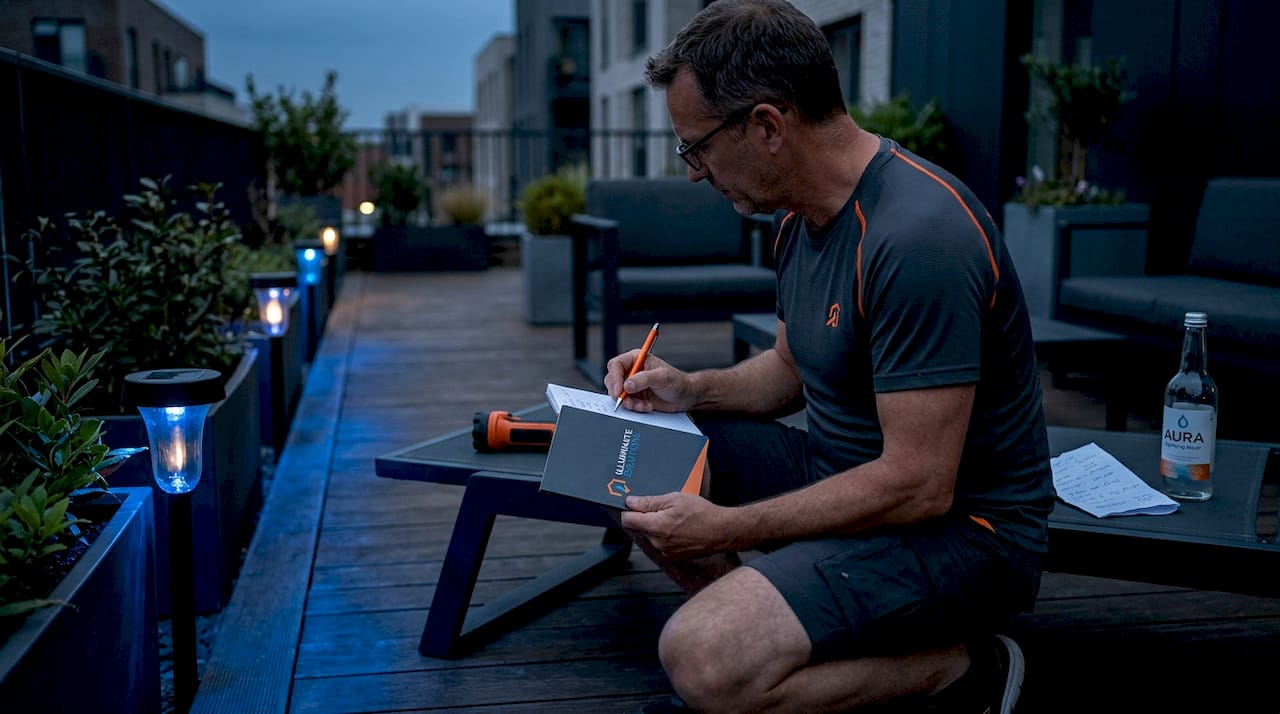
This process works for both simple setups and advanced multi-zone systems. Follow it in order, and you’ll avoid the most common mistakes homeowners make when setting up schedules on their own.
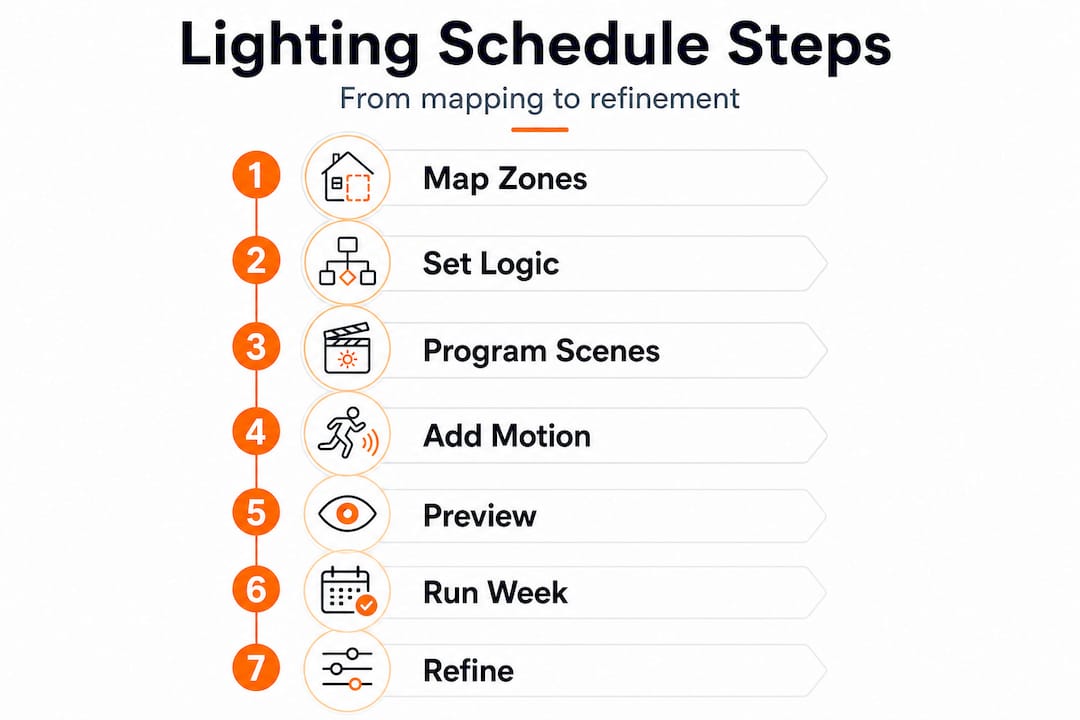
1. Map your zones by function. Separate your fixtures into categories: security lighting (garage, entry points), accent lighting (roofline, architectural features), pathway lighting, and decorative or holiday lighting. Each category may need a different schedule. Security lights might run all night; accent lighting might turn off at midnight.
2. Define your on/off logic. Decide whether each zone uses fixed times, sunrise/sunset offsets, or smart scheduling. A practical default for DFW: lights on 30 minutes after sunset, accent lighting off at 11 PM, security lighting off 30 minutes after sunrise.
3. Program dimming and color scenes. If your fixtures support dimming, set a reduced brightness level (typically 30 to 50 percent) for late-night hours. This alone can add significant savings. LEDs with smart controls save 40 to 75 percent on energy costs compared to traditional lighting. For 20 LED fixtures running four hours each night, that translates to roughly $160 per year in savings, and adding motion-triggered dimming can push reductions to 70 to 80 percent further.
4. Set up motion triggers for low-traffic zones. Program motion sensors to activate lights in your side yard, alley-facing areas, or backyard only when movement is detected. This dramatically cuts runtime without reducing safety.
5. Simulate the schedule before committing. Most smart controllers let you run a preview of your schedule. Walk your property after dark with the simulation active and check for dark spots, overly bright areas, or zones that conflict with each other.
6. Run the schedule live for one full week without changes. Observe how the lights perform across different times of night and different weather conditions. Note anything that doesn’t look right.
7. Adjust and refine. Make corrections based on what you observed. Common tweaks include adjusting pathway brightness, shifting accent light off-times, and adding motion zones you didn’t anticipate needing.
You can also use remote lighting control to make adjustments without being on-site, which is especially useful for vacation periods or when you want to test new settings. For outdoor safety and style balance, make sure security zones never go fully dark during overnight hours.
Pro Tip: Place motion sensors in your side yard and rear alley zones instead of fixed-schedule lighting. In most DFW homes, these areas see foot traffic only a few times per week. Cutting continuous runtime in those zones alone can reduce your overall system’s energy use by 20 percent or more.
Troubleshooting, adapting, and maximizing efficiency year-round
After your schedule is up and running, maximize its value by sidestepping common headaches and fine-tuning over time.
DFW’s weather and calendar create specific challenges that generic lighting guides don’t address. Here’s what experienced installers see most often, and how to stay ahead of it.
Seasonal and weather-related adjustments:
- Summer: Long days mean your astronomical timer handles sunset shifts automatically, but extreme heat above 100°F can cause smart controllers to reset. Check your controller’s operating temperature rating.
- Winter storms: Ice and freezing rain occasionally hit DFW. Weather events like rain, snow, and fog benefit from a brightness or contrast boost in your schedule to maintain visibility and curb appeal.
- Spring and fall: Daylight Saving Time (DST) shifts can knock fixed timers off by an hour. Astronomical timers and smart controllers with auto-adjust handle this without any action on your part.
- Power outages: A surge or outage resets many smart controllers to factory defaults. Choose astronomical timers with battery backup to preserve your schedule through power interruptions.
Holiday and event scheduling:
Calendar-triggered color changes work well for holidays. Program your dynamic color lighting to shift automatically for the Fourth of July, Halloween, Christmas, and other occasions. Our holiday scheduling solutions make this process seamless for JellyFish Lighting systems installed across DFW.
Common pitfalls to avoid:
- Sunrise/sunset sensors that physically detect light levels tend to drift over time and trigger at the wrong threshold. Stick with astronomical timer logic instead.
- Smart controllers need reliable networks to execute scheduled changes. A weak outdoor WiFi signal is the number one cause of missed schedule triggers.
- Photocell sensors installed in shaded locations will misread ambient light and cause erratic on/off behavior.
“Edge cases matter most. DST auto-adjust, battery backup for power outages, and calendar triggers for holiday colors are the features that separate a good system from one that frustrates homeowners six months after installation.”
Pro Tip: Set a calendar reminder at the start of each season and after any major DFW weather event to review your schedule. A 10-minute check four times a year catches most issues before they become real problems.
The real-world truth about setting custom lighting schedules in DFW
Here’s the candid take we share with homeowners after installing hundreds of systems across Arlington, Fort Worth, Grand Prairie, and Mansfield: most “set it and forget it” claims only hold true if you planned for local conditions from the start.
The biggest mistake we see is homeowners choosing a fully smart system because of the feature list, without accounting for WiFi dead zones at their exterior walls. A $300 smart controller running on a spotty connection is less reliable than a $60 astronomical timer. Contrasting the options clearly, simple timers offer reliability with no technology risk, smart systems offer flexibility with setup complexity, and astronomical timers hit the best balance for most homeowners.
The second mistake is skipping schedule reviews. DFW’s seasons shift dramatically. A schedule built in April looks nothing like what you need in November. Homeowners who treat their schedule as a “one-time setup” are the ones calling us with complaints about lights running at noon or going dark at 9 PM in the summer.
The third, and most overlooked, issue is ignoring edge cases entirely. Holidays, DST, power outages, and heat-related controller resets all happen in DFW. If your system doesn’t have a plan for each of these, you’ll end up manually fixing something at least twice a year. We always recommend building these contingencies into the initial design rather than treating them as afterthoughts.
The homeowners who get the most long-term value from their LED lighting basics understanding are the ones who start with a reliable foundation, typically astronomical plus smart zones for key accent areas, and layer in features only after the core schedule is performing well. Chasing the full feature list on day one almost always leads to setup frustration and abandoned programming.
Let DFW LED Pro help you design the perfect outdoor lighting schedule
Designing a custom outdoor lighting schedule delivers real energy savings, better curb appeal, and security you can rely on night after night. But getting it right the first time takes more than reading a guide.
At DFW LED Pro, we handle professional installation in Dallas and across the entire metroplex, including specialized work for homes in LED lighting in Midlothian, Burleson, Crowley, Cedar Hill, and 35+ other communities. As the official authorized JellyFish Lighting dealer for DFW, we design schedules that account for our local seasons, weather events, and holiday traditions from day one. Whether you need a simple astronomical setup or a full smart zone system with holiday color automation, our team provides installation, programming, and ongoing support so your lights always perform exactly as intended.
Frequently asked questions
How much can I realistically save by optimizing my outdoor lighting schedule?
Most DFW homeowners can expect to save around $160 per year for 20 LED fixtures used four hours nightly, and adding motion or dimming controls can push savings significantly further.
Should I use sunrise/sunset sensors for custom lighting schedules?
It’s best to avoid sunrise/sunset sensors because they drift over time and trigger at inconsistent thresholds. Astronomical timers use location-based data and remain accurate throughout the year for DFW homes.
How do I automate outdoor lighting for holidays and special events?
Use smart or calendar-triggered controllers that let you schedule automatic color changes for holidays and celebrations, so your lighting shifts without any manual reprogramming each season.
What’s the main maintenance I need to keep my custom schedule reliable?
Review your settings four times per year to catch any drift from DST changes, seasonal shifts, or post-storm controller resets that could throw your schedule off.